Category: blog

  • No IT Department: Who Is Managing Your Domain Name?

    No IT Department: Who Is Managing Your Domain Name?

    A growing business might invest tens of thousands of ringgit every year into brand building, corporate email suites, web development, and digital advertising.

    Yet, while advising business leaders on digital strategy, I often notice a curious blind spot: a foundational technical asset costing merely tens to hundreds of ringgit annually to maintain is frequently overlooked by executive management.

    That asset is the company’s domain name.

    When asked about their domain names, founders and managers of small and medium-sized enterprises (SMEs) with 5 to 20 employees often give familiar answers: “I think the web designer we hired a few years ago bought it for us?” “It’s tied to my personal credit card, so it should auto-renew every year, right?” “Isn’t that something the technical guys take care of?”*

    For small businesses operating without full-time IT personnel, this mindset is both understandable and common. Business owners are naturally focused on cash flow, client acquisition, and day-to-day operations; deep-diving into technical nuances is rarely top of mind.

    However, while the acquisition cost of a domain name is negligible, the daily business operations riding on it far exceed its invoice value.

    When domain governance lapses, the fallout extends far beyond an inaccessible URL—it disrupts your business continuity.


    1. Reframing the Perspective: A Domain Name Is a Business Anchor, Not an IT Utility

    Many business owners treat domain names as a minor administrative expense, much like office broadband or printer paper. From a digital asset perspective, however, a domain name fulfills two vital roles:

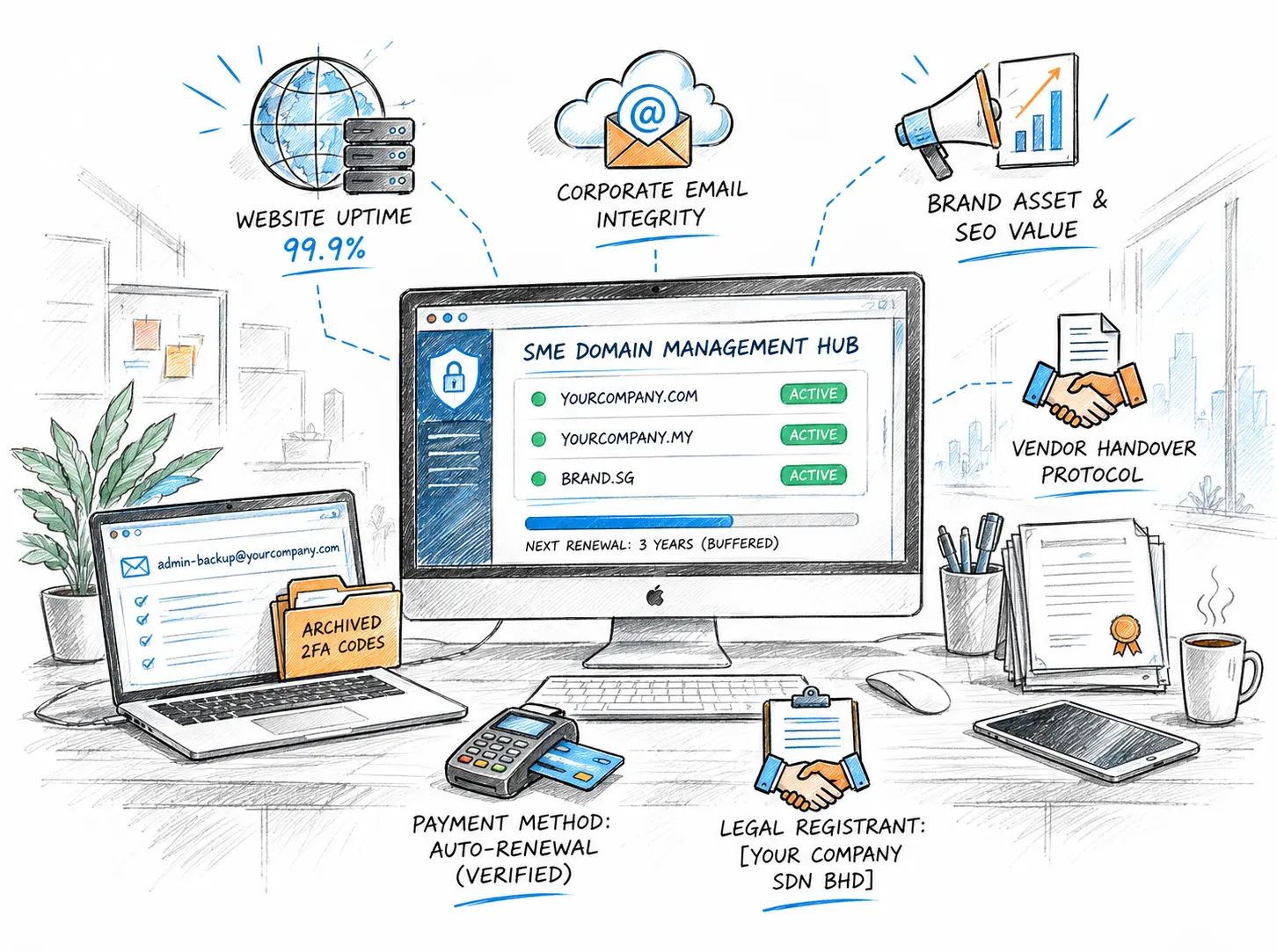
    1. The Critical Nerve Center for Core Business Systems Your official website, corporate email infrastructure, customer-facing portals, and ad landing pages depend entirely on your domain and its underlying DNS configuration. When the primary domain experiences downtime or misconfiguration, it paralyses client communication and digital operations alike.
    2. An Essential Intangible Brand Asset According to regulatory frameworks established by ICANN (Internet Corporation for Assigned Names and Numbers) and national registries such as MYNIC (responsible for .my domains in Malaysia), a domain name represents the legitimate right of use and administrative authority granted to an organization during a registered term. Over time, search engine optimization (SEO) equity, branded search authority, and customer trust accumulate under that address. It acts as both your digital address and your trademark online.

    Behind an inexpensive annual fee lies the operational bedrock of your enterprise.


    2. Four Common Domain Risks for SMEs Under 20 Employees

    In businesses without dedicated IT departments, domain disruptions rarely stem from sophisticated cyberattacks. Instead, they occur due to an absence of long-term operational ownership. Here are four common real-world scenarios:

    1. Orphaned Accounts: Lost Registrars and Departed Personnel

    2. Payment Failures and Ignored Expiration Notices (Lifecycle Realities)

    3. Vendor Disruption and Incomplete Asset Handover

    4. Ambiguous Ownership Entities (Registrant Flaws)


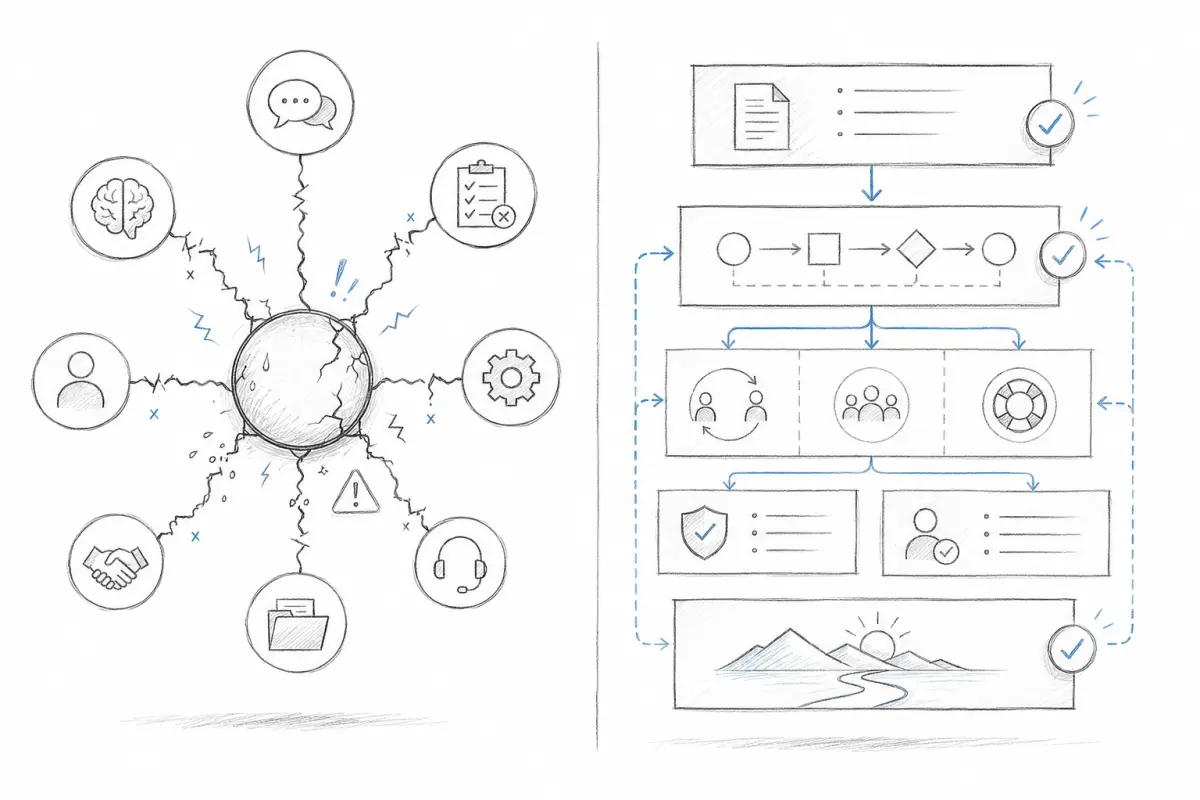
    3. Four Pillars of SME Domain Governance

    Small businesses do not need bureaucratic corporate approval workflows, but they do require clear operational boundaries. I recommend structuring governance around four core pillars:

    01

    Ownership

    Register the domain under your legal business entity.

    02

    Control

    Retain account access, 2FA and recovery codes.

    03

    Continuity

    Maintain independent recovery contacts and renewal oversight.

    04

    Accountability

    Assign responsibility for DNS changes and handovers.

    • Ownership: Verify that WHOIS or registry records explicitly list your company’s legal entity as the primary Registrant.
    • Control: Retain master administrative credentials, primary authentication, and recovery documentation so your company can smoothly manage or transfer the domain during personnel shifts or vendor transitions. Enable Two-Factor Authentication (2FA) and securely store offline 2FA Recovery Codes. If an employee whose mobile device holds the authenticator leaves or loses their phone, an account without backup codes can become permanently inaccessible.
    • Continuity: Ensure domain administrative notices are routed through monitored, permanent company channels with secondary contacts in place. Crucially, avoid the common trap of using an email address that depends on the domain itself (e.g., [email protected]) as your sole account recovery contact. If DNS resolution fails or the domain lapses, that mailbox goes down with it, leaving you unable to receive password reset links or authorization codes. For mission-critical domains, configure an independent, company-controlled external backup email address, and renew registrations in 3- to 5-year blocks to avoid annual renewal slip-ups.
    • Accountability: Clearly designate who is authorized to adjust DNS configurations and verify ongoing service integrity.

    A Common Small-Business Scenario

    Consider this typical scenario:

    A company with 12 employees hires a freelance web designer to launch their website five years ago. The designer sets up the domain, web hosting, and corporate email. Every year, the founder receives an invoice from the designer and passes it to finance for payment. Fast-forward a few years: the business has grown and decides to partner with an established agency to overhaul its digital infrastructure. However, when preparing to deploy the new platform, the team discovers that nobody knows which registrar holds the domain, nor who controls master DNS access. The original freelance designer has switched careers and is unreachable. Regardless of how well-designed the new website is, the team cannot launch. On the surface, this looks like a technical hiccup. In reality, the issue isn’t web design; it is the absence of formal asset ownership and handover protocols from day one.

    When engaging external service providers, businesses must balance immediate project deliverables with long-term operational continuity and underlying asset ownership.


    4. How Should Companies Without an IT Department Organize Domain Management?

    For a business with 5 to 20 staff, hiring a full-time systems engineer simply to oversee a handful of domains makes little financial sense.

    Should an SME manage its domains internally, or hand them over entirely to an external agency?

    It is not an either-or decision. The goal is to adopt a management model tailored to your internal technical capacity:

    Domain management models for small businesses
    Management ModelOperational StructureBest Suited For
    Model A: In-House ManagementFounders or key executives directly create and maintain the registrar account, linking company cards, independent recovery emails, and corporate security credentials.Teams with basic technical literacy and the discipline to regularly audit digital assets and secure 2FA credentials.
    Model B: Managed Agency RetainerA reputable digital agency oversees renewals, monitors DNS health, and provides technical escalations.Busy management teams without technical backgrounds who need dedicated external oversight and rapid emergency response.
    Model C: Hybrid Delegation (Recommended)The enterprise retains master account ownership and ultimate administrative control, delegating only day-to-day DNS record maintenance or technical agency access to external partners.Companies seeking hassle-free technical maintenance while eliminating the risk of vendor lock-in.

    What Is the Real Value of an External Digital Partner?

    1. Dedicated Oversight & Oversight Redundancy: Prevents accidental service lapses caused by expired payment cards or staff oversights.
    2. Specialized DNS Configuration: Teams experienced in DNS and mail server configurations lower the risk of downtime during critical migrations (such as configuring MX, SPF, and DKIM records for Google Workspace or Microsoft 365, or running server migrations).
    3. Accountable Escalation: When configuration issues arise, you bypass sluggish, automated support ticketing from overseas domain registrars and work directly with a partner accountable for troubleshooting.

    Keep one guiding principle in mind: You can outsource technical execution and maintenance, but you must never abdicate ownership of the underlying digital asset. Regardless of who handles daily tasks, your company must know where its domains reside and retain clear authority to transition management when necessary.


    5. The Executive 5-Minute Domain Self-Audit Checklist

    When reviewing website maintenance or vendor relationships, company leadership should routinely evaluate these essential questions:

    • Who is the documented Registrant? Is your core domain registered under your company’s legal entity name, or under an agency or individual employee’s name?
    • Which Registrar holds the domain? Can you or your executive assistant identify the registration platform within 5 minutes (e.g., Exabytes, GoDaddy, Namecheap)?
    • Is the recovery email independent? Does the contact email receiving renewal invoices and security recovery alerts rely on an external backup address rather than the domain itself? Is this inbox checked regularly?
    • Are 2FA credentials and emergency recovery codes archived? Is Two-Factor Authentication enabled on the master registrar account, and have the emergency recovery codes been securely stored in company records?
    • When is the next renewal date? How much time remains until expiration? Is an active, valid auto-renewal method configured, or has the domain been renewed several years ahead?
    • Is there a vendor exit and handover procedure? If your current technical vendor or web designer concludes their contract next month, does your internal team possess the master credentials to resume management seamlessly?

    Conclusion: Value Lies in Control, Not Cost

    Companies readily commit substantial budgets to brand development, software adoption, and digital marketing, yet frequently overlook the foundation supporting these investments.

    A small business does not need a massive IT department, but it cannot afford blind spots around its core digital assets.

    Effective domain governance is not about paying an annual bill; it is about maintaining a transparent, resilient ownership framework insulated from staff turnover and vendor transitions. When your foundational control is secure, your broader business operations can grow with confidence.


    Frequently Asked Questions (FAQ)

    Q1: Should a company domain be registered under an individual or the legal business entity?

    For operational businesses, domains should always be registered under the formal corporate entity wherever registrar policies permit. For local ccTLDs such as .my, providing verified corporate registration details (such as a SSM certificate in Malaysia) ensures clear legal ownership, preventing future disputes during shareholder changes or staff departures.

    Q2: Is it safe to let an external agency or web designer register a domain on our behalf?

    This is common industry practice. The critical step is establishing clear parameters upfront: the Registrant organization must be your company, recovery email notifications must reach company-controlled channels, and the contract must stipulate that the partner will facilitate transfers or credential handovers upon request.

    Q3: If a domain accidentally expires, do our website and data disappear immediately?

    Typically, no. The outcome depends on the top-level domain (TLD) registry policies and registrar rules. Domains usually enter an Auto-Renew Grace Period (often up to 45 days) where services may be suspended to prompt renewal, but the domain can still be restored at standard rates. If unresolved, it transitions into a ~30-day Redemption Period, during which all services are completely suspended and restoration incurs substantial registry penalty fees. It is best to avoid grace or redemption periods altogether to protect ongoing operations and avoid unnecessary costs.


    Authoritative References

    — Author: Bryan Chung | Digital Solutions Strategist In digital solution planning and corporate website architecture, helping organizations secure technical asset ownership is the foundational step toward building lasting digital trust. Connect with me at www.bryanchung.com.
  • Not Every Website Should Be Judged by Conversion Rate

    Not Every Website Should Be Judged by Conversion Rate

    Conversion rate matters.

    For many businesses, especially SMEs, a website is expected to support sales, generate enquiries, or help customers move closer to making a purchase.

    That is perfectly reasonable.

    An e-commerce website should help people buy. An online catalogue should help customers explore products. An online showroom should help potential buyers understand what a company offers.

    In these situations, conversion is naturally an important measurement.

    But I think we have become so used to talking about website conversion that we sometimes overlook a more basic question:

    Is conversion the only job a business website should perform?

    I do not think so.

    A website can generate enquiries, but it can also shape how people perceive a company.

    It can help customers understand the business.

    It can support a sales team.

    It can strengthen corporate credibility.

    It can reduce uncertainty.

    And sometimes, before a customer is ready to contact you, the most important job of your website is simply to make your company look credible enough to remain under consideration.

    Conversion is one outcome.

    Trust, clarity and credibility are often what make that outcome possible.

    Why Businesses Became So Focused on Website Conversion

    There is a good reason businesses pay attention to conversion.

    A website requires investment.

    Management naturally wants to know whether that investment produces results.

    How many visitors became enquiries?

    How many people clicked WhatsApp?

    How many submitted a form?

    How many purchased?

    These are useful questions.

    The problem starts when we assume that every visitor must immediately take an action for the website to have value.

    Business buying decisions are not always that simple.

    A potential customer may visit your website today and contact you two weeks later.

    A procurement manager may check your company before adding you to a shortlist.

    A business owner may look at your website, send it to a partner and discuss your company internally.

    A candidate may visit before deciding whether to apply for a position.

    A potential distributor, investor or business partner may visit simply to understand whether the company appears established and credible.

    None of these actions necessarily produces an immediate form submission.

    But they still matter.

    This is why I believe businesses should be careful about reducing website performance to a single metric.

    A Website Can Serve More Than One Business Purpose

    Before designing or redesigning a website, companies should first decide what the website is supposed to achieve.

    Depending on the business, a website may support several purposes.

    It may help with:

    • Lead generation
    • Sales support
    • Product or service education
    • Corporate branding
    • Customer confidence
    • Recruitment
    • Partner confidence
    • Market positioning
    • Customer service
    • Long-term digital visibility

    The important point is not that every website must perform all these functions.

    It is that every website should have a clearly understood purpose.

    A website built mainly for enquiry generation should be designed differently from a corporate website built mainly to strengthen credibility.

    A product catalogue should be structured differently from an investor-facing corporate website.

    A professional services firm may depend far more heavily on expertise, credibility and trust than on aggressive calls to action.

    There is no single correct formula for every business website.

    The correct design depends on the decision the website needs to help people make.

    The Overlooked Role of Brand, Credibility and Trust

    One of the most overlooked purposes of a business website is trust.

    Many companies think of branding mainly in visual terms.

    Logo.

    Colours.

    Photography.

    Fonts.

    These things matter, but corporate credibility goes deeper than appearance.

    When someone visits a company website, they are constantly forming judgments.

    Does this company look established?

    Do they appear to understand what they are doing?

    Is the information clear?

    Does the business appear active?

    Can I find evidence of its experience?

    Do its services make sense?

    Does the website feel maintained?

    Would I feel comfortable contacting this company?

    These questions may never be consciously expressed by the visitor.

    But they influence behaviour.

    A website is often one of the first places where customers verify whether the impression they have of a company matches reality.

    That is why professional image is not simply decoration.

    It contributes to confidence.

    And confidence affects whether people continue the conversation.

    “We Only Need a Simple Website”

    Over the years, I have often heard clients say:

    “We only need a simple website. We don’t need anything complicated.”

    There is nothing wrong with wanting a simple website.

    In fact, I generally agree.

    A good website should feel simple.

    The misunderstanding begins when people assume:

    Simple = Cheap

    and

    Complex = Expensive

    These are not the same thing.

    In website design, simplicity is not necessarily about how little work is involved.

    It is about how little effort the user needs to make.

    A website can have only five pages and still be confusing.

    Another website may contain hundreds of pages but still feel easy to navigate because its structure has been carefully planned.

    The number of pages does not determine simplicity.

    The number of features does not determine simplicity.

    The real question is:

    How easily can the user achieve what they came to do?

    Simple Does Not Mean Cheap

    I like to explain it this way:

    Simple is a design outcome.
    Cheap is a pricing decision.

    They are two different things.

    Consider the iPhone.

    One of the reasons many people find it easy to use is that the interface removes unnecessary decisions.

    You do not need dozens of visible buttons to perform basic tasks.

    The experience feels simple.

    But nobody assumes that because the product is easy to use, it should therefore be the cheapest phone in the market.

    In fact, achieving simplicity often requires more thought.

    The same applies to websites.

    Before a website can feel simple, someone has to decide:

    What information matters most?

    What should appear first?

    What should be removed?

    How should the navigation work?

    What questions will customers have?

    Where should users go next?

    What should appear on mobile?

    How do we make a large amount of information understandable without overwhelming the visitor?

    Adding things is relatively easy.

    Removing unnecessary complexity is harder.

    Complexity is easy to add. Clarity takes work.

    What Simplicity Really Means in Website Design

    To me, a simple website is not necessarily a small website.

    It is a website that is easy to understand and easy to use.

    A visitor should be able to understand, reasonably quickly:

    Who is this company?

    What does it do?

    Who does it serve?

    Why should I pay attention?

    Where can I find more information?

    What should I do next?

    Good UX and UI are not about making websites look fashionable.

    Their purpose is to reduce friction.

    A visitor should not have to hunt for basic information.

    They should not have to guess what a button means.

    They should not need to open five different pages before understanding what the company actually provides.

    The job of design is not to make the visitor admire the interface.

    The job of design is to help the visitor move through information with as little unnecessary effort as possible.

    That is what I mean by simplicity.

    Complexity Is Not the Same as Value

    There is another misconception I often see.

    Some businesses assume that a website becomes more valuable when it has more features.

    More animation.

    More pages.

    More functions.

    More visual effects.

    More technology.

    Sometimes those things are useful.

    Sometimes they are unnecessary.

    A complex feature is valuable only when it solves a real business or user problem.

    If it does not, it is simply additional complexity.

    The same principle applies in the opposite direction.

    A website that looks visually minimal may require substantial work behind the scenes.

    There may be strategy.

    Content planning.

    User research.

    Information architecture.

    Responsive design.

    Accessibility considerations.

    Search optimisation.

    Performance work.

    Security.

    Content management planning.

    Testing.

    A visitor may never see the complexity behind the website.

    That is often a sign that the work has been done properly.

    Good design hides unnecessary complexity from the user.

    A Website Should Help People Make Decisions

    This is how I increasingly think about business websites.

    A website is not simply a place to store company information.

    It is a place where people form decisions about the company.

    The visitor may be deciding:

    Should I trust this business?

    Should I contact them?

    Should I include them in the shortlist?

    Should I ask for a quotation?

    Should I recommend them internally?

    Should I work with them?

    Should I apply for a job here?

    Should I continue researching?

    Seen from this perspective, website design becomes less about decoration and more about decision support.

    The website needs to help a person move through a simple journey:

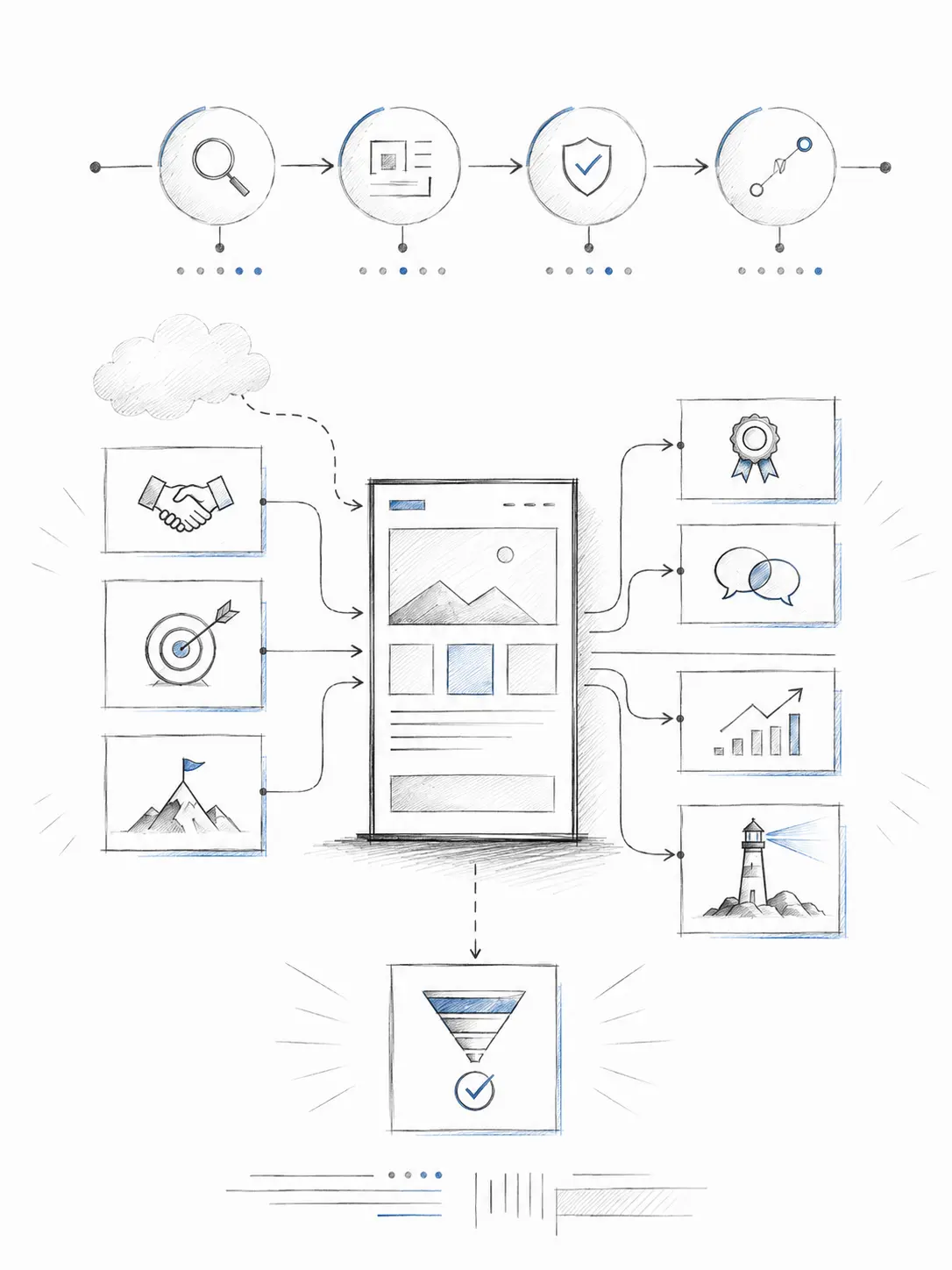
    Find you → Understand you → Trust you → Decide what to do next

    Conversion is part of that journey.

    But conversion usually comes after understanding and trust.

    If the visitor does not understand what you do, the CTA will not solve the problem.

    If the visitor does not trust the company, adding another enquiry button will not solve the problem either.

    So What Should a Business Website Actually Do?

    There is no universal answer.

    For one company, the most important purpose may be generating qualified enquiries.

    For another, it may be presenting technical capabilities clearly.

    For a corporate organisation, credibility may be more important.

    For a professional services firm, demonstrating expertise may matter most.

    For a manufacturer, helping customers understand capabilities, products, certifications and markets may be the priority.

    For an established company, the website may need to support many audiences at the same time.

    That is why I believe one of the most important questions should come before design begins:

    What business decision should this website help someone make?

    Once the purpose is clear, many other decisions become easier.

    What content is needed?

    What pages should exist?

    What should be shown first?

    What proof should be included?

    What should the call to action be?

    What information is unnecessary?

    Design becomes much easier when the purpose is clear.

    Final Thought: Define the Purpose Before Designing the Website

    A website should not exist simply because every company is expected to have one.

    And it should not automatically be judged only by how many people immediately submit an enquiry.

    Conversion matters.

    But so do clarity, credibility, positioning and trust.

    Sometimes the website’s job is to generate an enquiry today.

    Sometimes its job is to help the customer feel confident enough to include your company in tomorrow’s discussion.

    Both have business value.

    So before asking:

    “How much will the website cost?”

    or even:

    “What conversion rate can we achieve?”

    I think there is a more important question to ask first:

    What exactly do we want this website to do for the business?

    Because a good website is not simply a collection of pages.

    It is a business asset designed with a purpose.

  • We’re Just a Small Company, Cybercriminals Aren’t Interested

    We’re Just a Small Company, Cybercriminals Aren’t Interested

    The Most Fatal Security Misconception for SMEs


    With the rapid advancement of Artificial Intelligence (AI), technology is boosting operational efficiency for businesses while quietly triggering a cybersecurity storm. Today’s cybercriminals no longer rely on manual intrusion; instead, they deploy AI-automated tools to scan the web for vulnerabilities 24/7. In the face of these intelligent attacks, traditional static defense mechanisms are facing unprecedented challenges.

    In Malaysia, many small and medium-sized enterprises (SMEs) harbor a common misconception about website security. The most frequent refrains are: “We’re just a small business. Our website doesn’t have high traffic or recognition, and cybercriminals won’t get any money from hacking us anyway.”

    However, this blind neglect of security is often the starting point of catastrophic business losses.

    For a simple corporate website with only 5 to 10 pages, there appears to be no confidential data at first glance. Many business owners even naively assume: “Even if the website gets compromised, can’t we just restore it with a backup?”

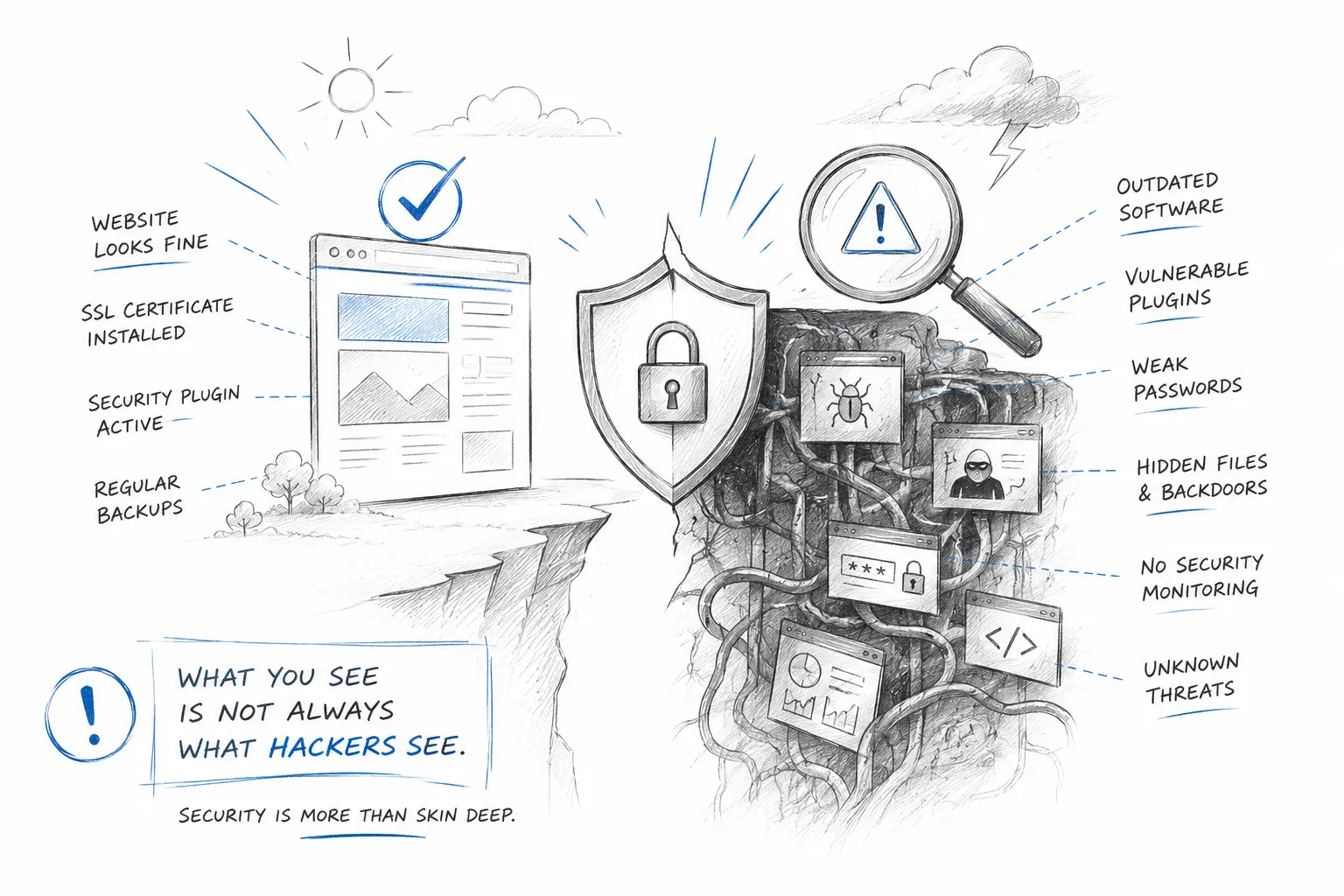
    But modern cybercriminals have long since changed the rules of the game. They rarely attempt to steal money directly from SME websites that lack transactional cash flow. Instead, they use these poorly defended sites as “zombie machines” (botnets) and stepping stones. Cybercriminals secretly inject illegal gambling or adult content deep into hidden server directories, or perform SEO Spam injections—quietly exploiting your domain name to generate massive profits for themselves.

    It is only when businesses receive a violation warning from their hosting provider, or even a formal notice from enforcement agencies, that they suddenly realize: their official website has been completely hijacked by cybercriminals and blacklisted by major search engines.

    The price of this “hindsight” is devastatingly high:

    • Domain Ruined: The domain name you worked years to build gets blocked by web browsers and flagged as a “Dangerous Site.”
    • Physical Assets Rendered Useless: QR codes and printed URLs on product packaging, business cards, brochures, and flyers instantly become “dead links.”
    • Digital Assets Wiped Out: Online ad campaigns fail, and your Google search indexing and SEO rankings vanish overnight.
    • Brand Trust Bankrupted: Prospective clients are greeted with alarming security warnings the moment they visit your site, causing corporate reputation to crumble instantly.

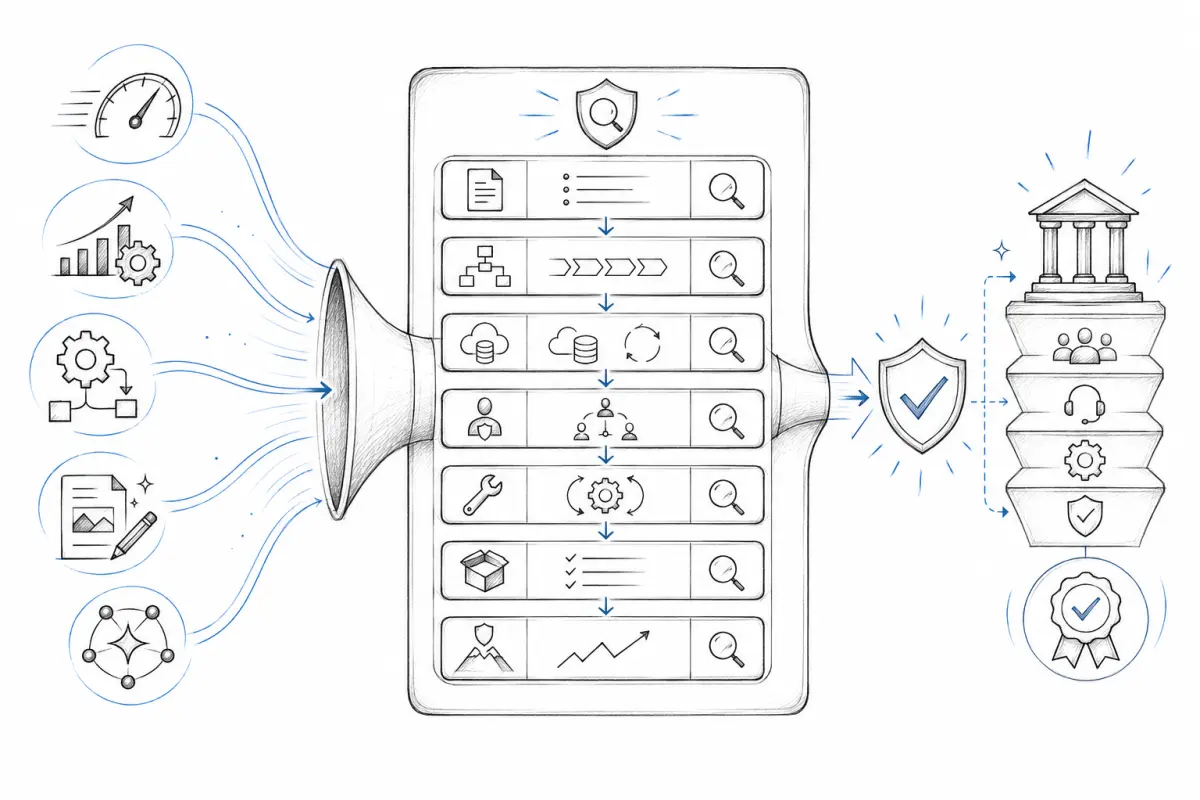
    When hearing “website security,” many business owners immediately imagine astronomical professional service fees. In reality, security protection isn’t better just because it’s more expensive; tailored solutions are the truly prudent approach.

    To put it into perspective, SMEs do not need to build expensive “national-level” or “bank-grade” defense lines. Based on my own experience and perspective:

    • 80% of Common Security Threats: Can be easily kept at bay through routine maintenance, system/plugin updates, and vulnerability audits.
    • The Remaining 20% of Unknown Risks: Can be effectively safeguarded in real time with a reasonable Web Application Firewall (WAF).

    Cybersecurity is not an exclusive privilege reserved for enterprise giants—it is the baseline for every digitalized business. Don’t let a single oversight destroy the brand reputation you have spent years building.

    Learn More: How can SMEs build an 80/20 website protection shield at low cost?

  • Is the AI One-Person Business Really Reliable? What Businesses Should Consider Before Choosing a Vendor

    Is the AI One-Person Business Really Reliable? What Businesses Should Consider Before Choosing a Vendor

    Recently, many YouTubers, bloggers, and professionals who study AI have been talking about one major trend: AI can greatly amplify an individual’s ability.

    With the right AI tools, one person can now handle work that previously required multiple roles, departments, or specialists. Copywriting, image generation, research, automation, content production, data analysis — many tasks can now be supported or accelerated by AI.

    Because of this, we are starting to hear more about the rise of the “one-person company” or “One-Person Business” The idea is that one person, powered by AI, can manage many functions that used to require a traditional team.

    It sounds attractive. But from a business perspective, we should not only look at efficiency. We also need to look at the risks behind it.

    AI Can Definitely Amplify Individual Capability

    I do not deny the value of AI.

    AI can help one person work faster, improve productivity, close certain knowledge gaps, speed up content creation, organize information, and execute tasks more efficiently. For freelancers, consultants, small teams, and entrepreneurs, AI is a very powerful tool.

    In the past, a freelancer might only be able to handle a limited amount of work. Today, with AI, that same person can write faster, produce more, respond quicker, and even appear to operate like a small team.

    In that sense, AI has turned many freelancers into “super freelancers.”

    But increased capability does not mean business risk disappears.

    The Biggest Issue With a One-Person Company Is Not Ability. It Is Dependency.

    The real concern with an AI-powered one-person company is not whether the person knows how to use AI.

    The real concern is whether the entire service delivery depends too heavily on one individual.

    If all communication, decision-making, execution, client relationships, technical knowledge, and project memory are concentrated in one person, then that person becomes the central point of the entire service.

    Once this central person is unable to operate — due to illness, burnout, personal issues, being overloaded, losing focus, or even more serious unexpected situations — the client will face a very real problem:

    Who will take over?

    Is there another person who understands the project?

    Is there proper documentation?

    Is there a process?

    Is there backup support?

    Is there a company structure that can continue supporting the client?

    This is the real risk businesses need to consider when choosing a vendor.

    For Business Clients, Service Stability Matters More Than “One Very Capable Person”

    Many businesses are easily impressed when choosing a website developer, system developer, SEO consultant, AI automation provider, or digital solution vendor.

    This person understands AI. This person speaks well. This person replies quickly. This person seems able to do everything.

    But what a business truly needs is not only “one very capable person.”

    A business needs a service provider that is stable, sustainable, accountable, traceable, and able to support the project over time.

    This is especially important when the project involves websites, business systems, email, servers, customer data, SEO, online advertising, payment processes, or internal operational workflows.

    A vendor is not just someone who completes a task once. Long-term maintenance, troubleshooting, security updates, staff handover, system continuity, and ongoing support are all important.

    If the vendor is only one person, with no team, no process, no documentation, and no backup support, the client is taking on a certain level of business risk.

    An AI One-Person Company Is Not Always a Bad Choice. It Depends on the Type of Project.

    Of course, this does not mean one-person companies or freelancers are always a bad choice.

    Some projects are very suitable for freelancers or small teams. For example, short-term content creation, design concepts, simple landing pages, copy editing, one-off consulting advice, or lightweight automation testing.

    These projects are usually lower risk, shorter in duration, and less dependent on long-term continuity.

    However, if the project is closely related to long-term business operations, such as a corporate website, customer portal, member system, ERP integration, server maintenance, SEO strategy, business email, cybersecurity, or internal workflow system, then businesses should not only ask whether the vendor knows how to use AI.

    They should also ask:

    1. Is the project scope clearly defined?
    2. Is there technical documentation or handover material?
    3. Is there a long-term maintenance arrangement?
    4. Is there a team or backup person supporting the project?
    5. If the main person is unavailable, who can continue the work?
    6. Does the service depend on personal memory, or is there a structured process?
    7. If something goes wrong, who is responsible?

    These questions are often more important than asking, “What AI tools do you use?”

    Do Not Be Misled by the Packaging of the “AI One-Person Company”

    The concept of a “one-person company” can be useful as a metaphor. It means that one person, with the help of AI and digital tools, can now achieve what previously required a small team.

    The problem is that many platforms and content creators keep emphasizing the idea that “one person can do everything.” This may create the wrong impression that teams, processes, experience, accountability, and long-term support are no longer important.

    That is a dangerous misunderstanding.

    AI can improve productivity, but AI does not automatically carry business responsibility. AI can help one person do more, but AI does not automatically create a service system. AI can make an individual more capable, but AI cannot replace a business’s need for stability, trust, and risk management.

    Conclusion: When Choosing a Vendor, Do Not Only Ask Whether They Use AI

    In the future, there will be more AI-powered freelancers, small teams, and one-person companies.

    This is not a bad thing.

    The real issue is that businesses should not be attracted only by messages such as “AI is powerful,” “delivery is faster,” or “one person can handle many things.”

    The more important questions are:

    Is this vendor reliable? Can the project be handed over if needed? Is the service sustainable? Will someone be responsible if something goes wrong? Is there long-term support? Is this just an individual who knows how to use AI, or is this a solution partner with a proper service mechanism?

    AI will change how work is done.

    But the core standard for choosing a business vendor remains the same:

    Trust, accountability, stability, experience, process, and long-term support.

    These are the things businesses should truly pay attention to.

  • Do You Really Need AI?

    Do You Really Need AI?

    Using AI as a selling point has become a badge of honour for businesses across every industry. Slap “AI” onto anything and suddenly it sounds more compelling which, from a sales and marketing perspective, actually works.

    AI CCTV. AI tyre workshops. AI health screenings. The list goes on. You name it, AI has touched it. Sound familiar? This is exactly what happened when the internet first emerged every business scrambled to be “online,” whether it made sense or not.

    Most small businesses use generative AI tools to write emails, craft copy, and generate images essentially glorified admin assistance. Companies with a bit more IT awareness deploy AI chatbots as customer service agents. Those with larger budgets build their own private AI agents.

    But does every product, service, or system actually need AI built into it?


    Here’s a real case. A wholesale client of mine was receiving hundreds of WhatsApp messages every day all asking the same thing: “What’s the current price for this product?” His instinct was to solve this with an AI customer service chatbot that could automatically handle pricing enquiries, reducing his dependency on headcount. Staff training, human pricing errors, sick leave all of these are real costs.

    After a deep-dive conversation with him, I analysed the situation and advised him that AI was not the right tool for this particular problem. Here’s why:


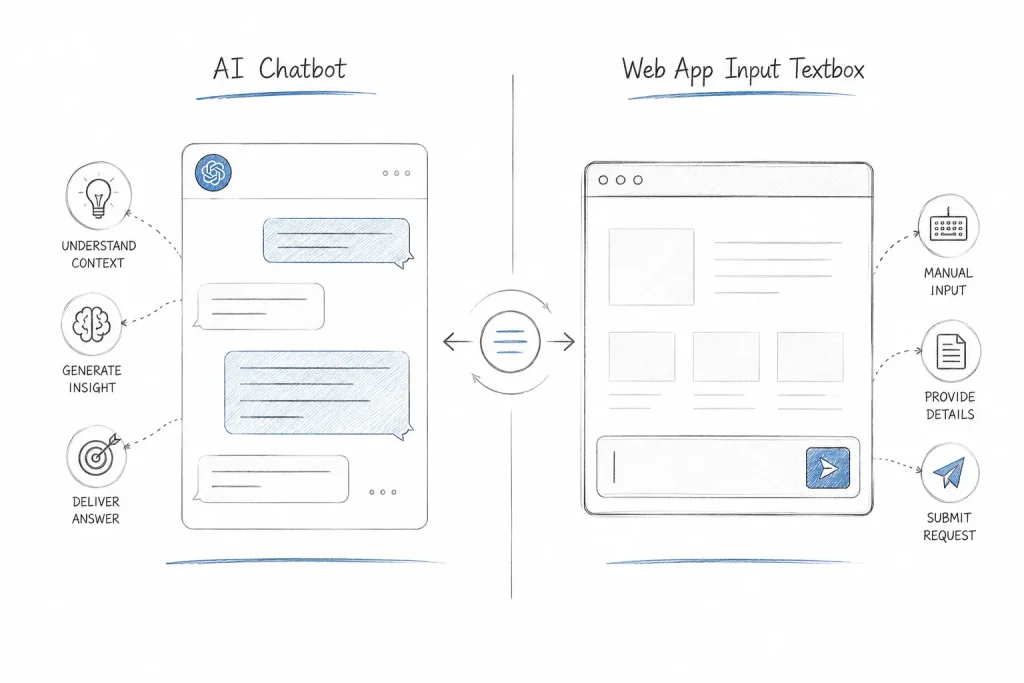
    1. A simple web app would solve this faster and more accurately.

    A product price lookup page where a customer enters a product name or code and instantly gets the price would do the job completely. No back-and-forth. No conversation. Just an answer.

    Compare that to how an AI chatbot interaction actually plays out:

    AI Chatbot: Hi, how can I help you?
    Customer: Hi, I'd like to check a product price.
    AI Chatbot: Could you describe the product in more detail?
    Customer: It's for my machine...
    AI Chatbot: What type of machine is it?

    The problem is clear: AI chatbots are designed to be conversational and human-like which means they can’t give you a direct answer without first gathering context. A web app with a single input field and a simple instruction “Enter product name or product code” is faster, cleaner, and far less frustrating for the user.


    2. AI chatbots require ongoing training and quality control.

    Deploying a chatbot isn’t a one-time setup. It requires continuous data input, output monitoring, and quality refinement not unlike onboarding a new employee, except you’re doing it indefinitely. Yes, AI makes fewer errors than humans. But the maintenance overhead is real.

    A web app, on the other hand, simply pulls from a product database using pattern matching. Accurate. Predictable. Done.


    3. AI chatbots come with hidden costs.

    Not intentionally hidden but genuinely difficult to estimate. AI output is billed by tokens, and you cannot control how many questions a user asks, how they phrase them, or how long each conversation runs. Every user has their own way of expressing themselves.

    A web app, by contrast, constrains the interaction by design. Fixed input. Fixed output. Fixed cost.


    The point isn’t that AI is flawed. The point is that when we architect AI solutions, the intended use case must be crystal clear. AI should not be adopted as a trend. It should be deployed as a tool specifically for tasks that are repetitive, logic-driven, and genuinely beyond what simpler systems can handle.

    The real question to ask before any AI investment isn’t “Can we use AI for this?”

    It’s “Should we?”


    If you’re evaluating whether AI is the right fit for your business operations, the answer usually starts with understanding your workflow first not your technology options. Get in touch with Entertop to discuss.