Author: Bryan Chung

  • Do You Really Need AI?

    Do You Really Need AI?

    Using AI as a selling point has become a badge of honour for businesses across every industry. Slap “AI” onto anything and suddenly it sounds more compelling — which, from a sales and marketing perspective, actually works.

    AI CCTV. AI tyre workshops. AI health screenings. The list goes on. You name it, AI has touched it. Sound familiar? This is exactly what happened when the internet first emerged — every business scrambled to be “online,” whether it made sense or not.

    Most small businesses use generative AI tools to write emails, craft copy, and generate images — essentially glorified admin assistance. Companies with a bit more IT awareness deploy AI chatbots as customer service agents. Those with larger budgets build their own private AI agents.

    But does every product, service, or system actually need AI built into it?


    Here’s a real case. A wholesale client of mine was receiving hundreds of WhatsApp messages every day — all asking the same thing: “What’s the current price for this product?” His instinct was to solve this with an AI customer service chatbot that could automatically handle pricing enquiries, reducing his dependency on headcount. Staff training, human pricing errors, sick leave — all of these are real costs.

    After a deep-dive conversation with him, I analysed the situation and advised him that AI was not the right tool for this particular problem. Here’s why:


    1. A simple web app would solve this faster and more accurately.

    A product price lookup page — where a customer enters a product name or code and instantly gets the price — would do the job completely. No back-and-forth. No conversation. Just an answer.

    Compare that to how an AI chatbot interaction actually plays out:

    AI Chatbot: Hi, how can I help you?
    Customer: Hi, I'd like to check a product price.
    AI Chatbot: Could you describe the product in more detail?
    Customer: It's for my machine...
    AI Chatbot: What type of machine is it?

    The problem is clear: AI chatbots are designed to be conversational and human-like — which means they can’t give you a direct answer without first gathering context. A web app with a single input field and a simple instruction — “Enter product name or product code” — is faster, cleaner, and far less frustrating for the user.


    2. AI chatbots require ongoing training and quality control.

    Deploying a chatbot isn’t a one-time setup. It requires continuous data input, output monitoring, and quality refinement — not unlike onboarding a new employee, except you’re doing it indefinitely. Yes, AI makes fewer errors than humans. But the maintenance overhead is real.

    A web app, on the other hand, simply pulls from a product database using pattern matching. Accurate. Predictable. Done.


    3. AI chatbots come with hidden costs.

    Not intentionally hidden — but genuinely difficult to estimate. AI output is billed by tokens, and you cannot control how many questions a user asks, how they phrase them, or how long each conversation runs. Every user has their own way of expressing themselves.

    A web app, by contrast, constrains the interaction by design. Fixed input. Fixed output. Fixed cost.


    The point isn’t that AI is flawed. The point is that when we architect AI solutions, the intended use case must be crystal clear. AI should not be adopted as a trend. It should be deployed as a tool — specifically for tasks that are repetitive, logic-driven, and genuinely beyond what simpler systems can handle.

    The real question to ask before any AI investment isn’t “Can we use AI for this?”

    It’s “Should we?”


    If you’re evaluating whether AI is the right fit for your business operations, the answer usually starts with understanding your workflow first — not your technology options. Get in touch with Entertop to discuss.

  • WordPress look like an app store

    WordPress look like an app store

    Your WordPress admin panel looks like an app store. Most SME owners treat it like one. That’s the problem.

    Thousands of plugins. Good ratings. Simple descriptions. Click install. Done.

    Except each plugin is maintained by a different person or company. Some are actively supported. Some haven’t been updated in years. Some have been abandoned. And some have never been audited for security.

    When you install a plugin without review, you are allowing untested code to run directly on your website, access your database, and sit inches away from your customer information.

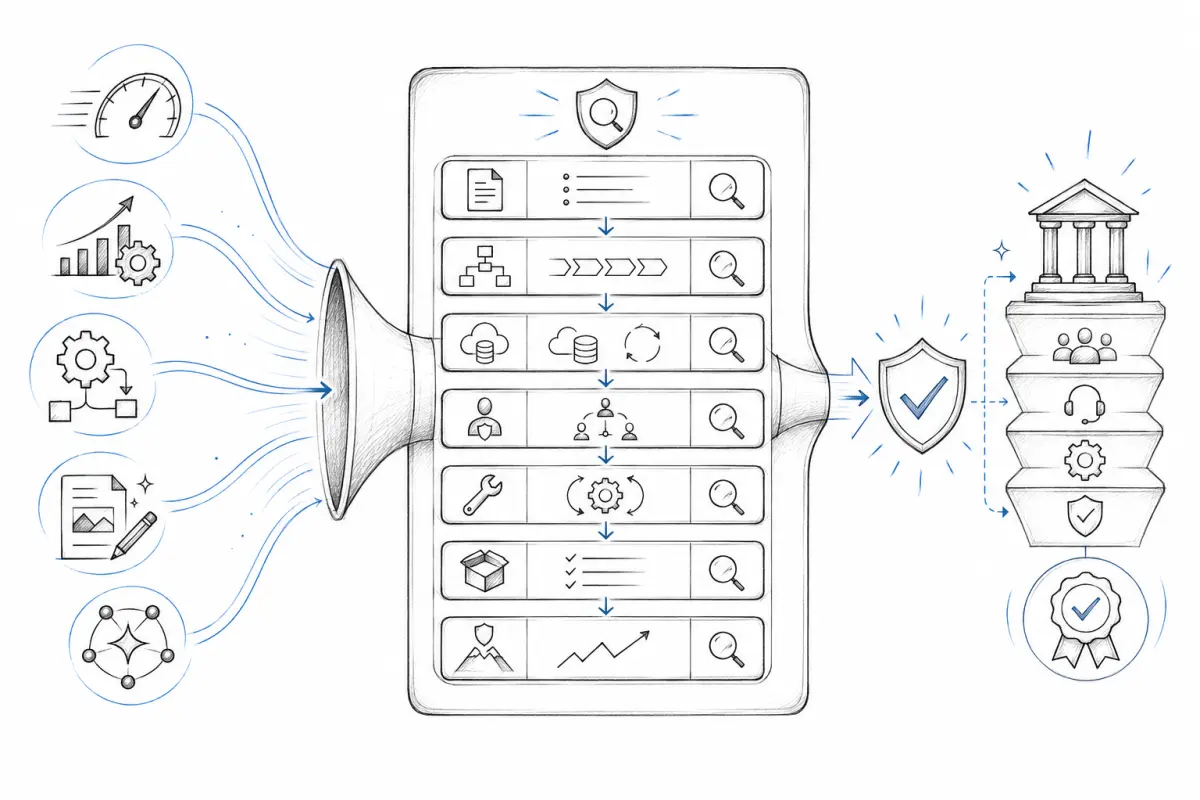
    Here’s what a professional review checks:

    – Is this plugin still actively maintained?
    – Does it work with your current WordPress version?
    – What happens to your site when WordPress updates?
    – Is there a documented security history?
    – Does it conflict with your other plugins?

    Most SME owners skip this. Then they wonder why their website broke after a WordPress update, or why they suddenly had a security problem.

    The difference between a website that is a reliable business asset and a website that is a recurring problem often comes down to this: who is accountable for the infrastructure decisions?

    If the answer is “you are guessing,” you need to change that.

  • The SEO Report I Should Have Written Differently

    The SEO Report I Should Have Written Differently

    Not long ago, a client signed up for our SEO package. The goal was straightforward: get their services found on search engines.

    They were highly focused on measurable outcomes. Before we even started, they asked for a forecast SEO report — a projection of what results to expect after the SEO work was done. How much would impressions grow? What about clicks? How many keywords would rank high? This is standard practice in traditional SEO: let the numbers do the talking, and watch the rankings climb.

    Then Google changed the rules.

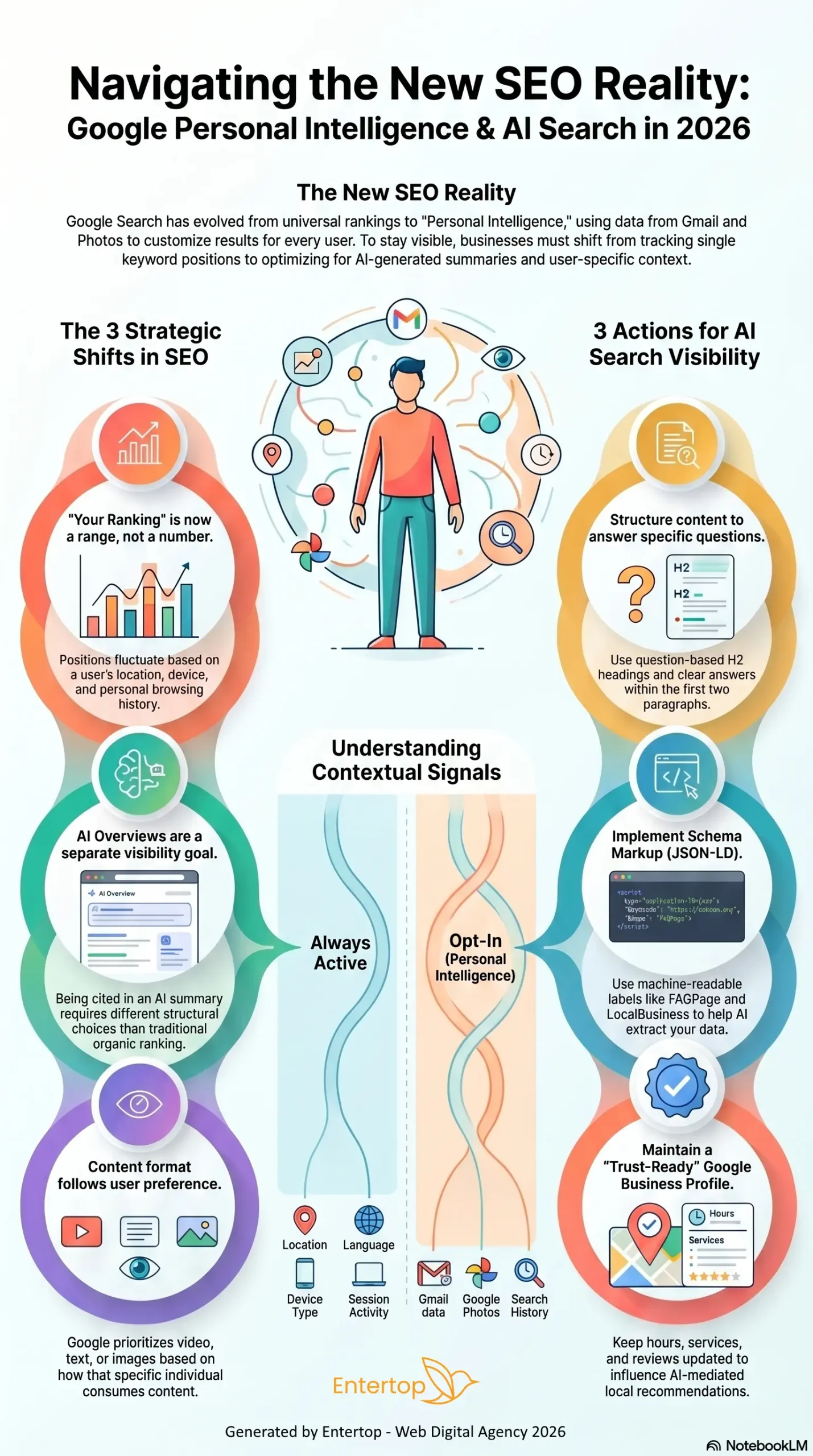
    At I/O 2026 in May, Google made it official — something that had been quietly brewing for over a year: search is no longer primarily a link distribution system. It is becoming an AI agent platform.

    This wasn’t Google adding an AI summary box to the top of search results. This was Google rebuilding Search itself — from a results page into an integrated interface for AI-powered answers, AI agents, and personalised task execution.

    Even the search box has been redesigned. It no longer just accepts keywords. It now supports text, images, files, videos, and even Chrome tabs — a fully multimodal AI-powered input. Users no longer need to search step by step and piece together information on their own. The AI Search Agent proactively synthesises content from blogs, news, social media, and real-time financial and shopping data — and delivers it directly to you.

    Think of it this way: you used to walk to the newsstand, flip through a stack of magazines, and hunt for the article you needed. Now the paperboy drops the exact edition you want at your front door every morning.

    Users have shifted from actively searching to passively receiving.

    So what does this mean for the majority of businesses that rely on SEO to generate enquiries?

    Your website content is no longer just the medium through which users find you. It is now the raw material that an AI agent evaluates when deciding whether to recommend you.


    Does SEO still matter?

    Yes. But the goal has changed.

    You are no longer optimising purely for Google’s algorithm. You are optimising for the judgement of an AI Agent — how it reads, interprets, and decides whether your content is worth surfacing.

    This is why SEO combined with AI Search Optimization is not an optional upgrade for your online marketing strategy. It is the next mandatory foundation.

    As for that client who asked for a forecast SEO report — I should have handed it to them with a note on the first page:

    “The projections in this report reflect performance under the old rules. The game has changed. Let’s redefine what success looks like — together.”

  • What you see on your website may not be what Google sees.

    What you see on your website may not be what Google sees.


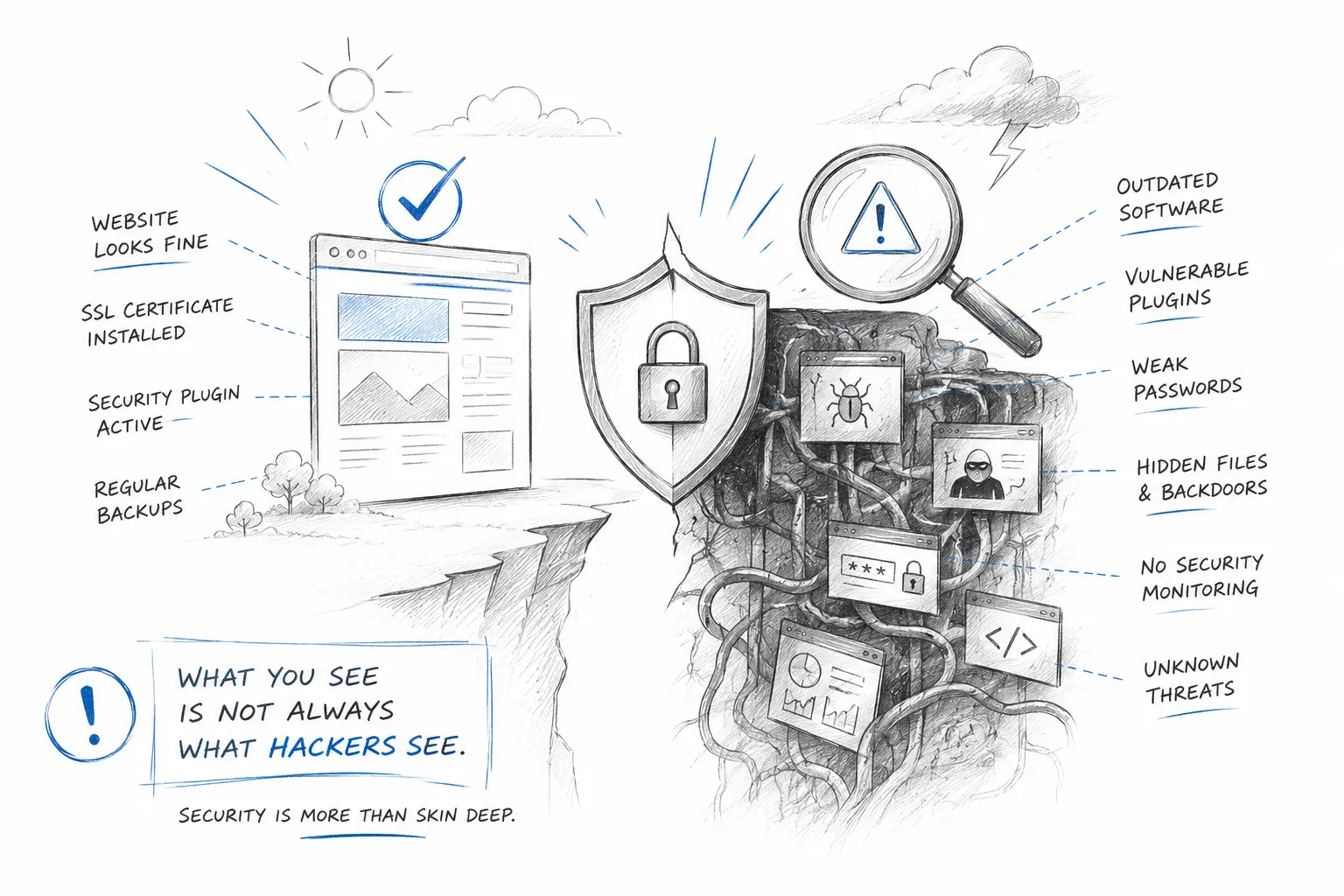
    Many companies check their website with the human eye.

    The homepage loads.
    The design looks fine.
    The content appears normal.
    Everything seems to be working.

    But from the perspective of a search engine bot, the website may be telling a very different story.

    I have seen websites that look perfectly normal to visitors, but behind the surface, they were already affected by malicious code, spam content, suspicious redirects, or cloaking issues.

    To a human visitor, it still looks like a corporate website.

    To Google, it may look like a gambling site, a spam page, or a compromised domain.

    This is one reason why some companies invest in SEO for months, but still struggle to rank.

    The issue may not always be the keyword strategy.
    It may not always be the content.
    It may not even be the SEO agency.

    Sometimes, the website itself has been polluted.

    A proper website review should not only ask:
    “Does the website look okay?”
    It should also ask:
    What do users see?
    What does Google see?
    What is happening inside the backend and code?
    Are there hidden spam pages or suspicious indexed URLs?
    Is the website still trustworthy from a technical and search engine perspective?
    A corporate website is not only a design asset.
    It is part of your company’s digital trust.
    And digital trust is not built only by looking professional on the surface.
    It is built by being clean, secure, credible, and consistent behind the surface too.
    A website that looks normal is not always a website that is healthy.
    Before investing more into SEO, sometimes the smarter question is:
    Is Google seeing the same website that your customers are seeing?

  • Thinking of hiring a web designer for your business

    Thinking of hiring a web designer for your business

    Most businesses choose a web designer based on design style.

    That is the wrong criterion.

    A visually impressive website that loads slowly, breaks on mobile, and cannot be found on Google has failed its core purpose regardless of how it looks on a desktop in a well-lit showroom.

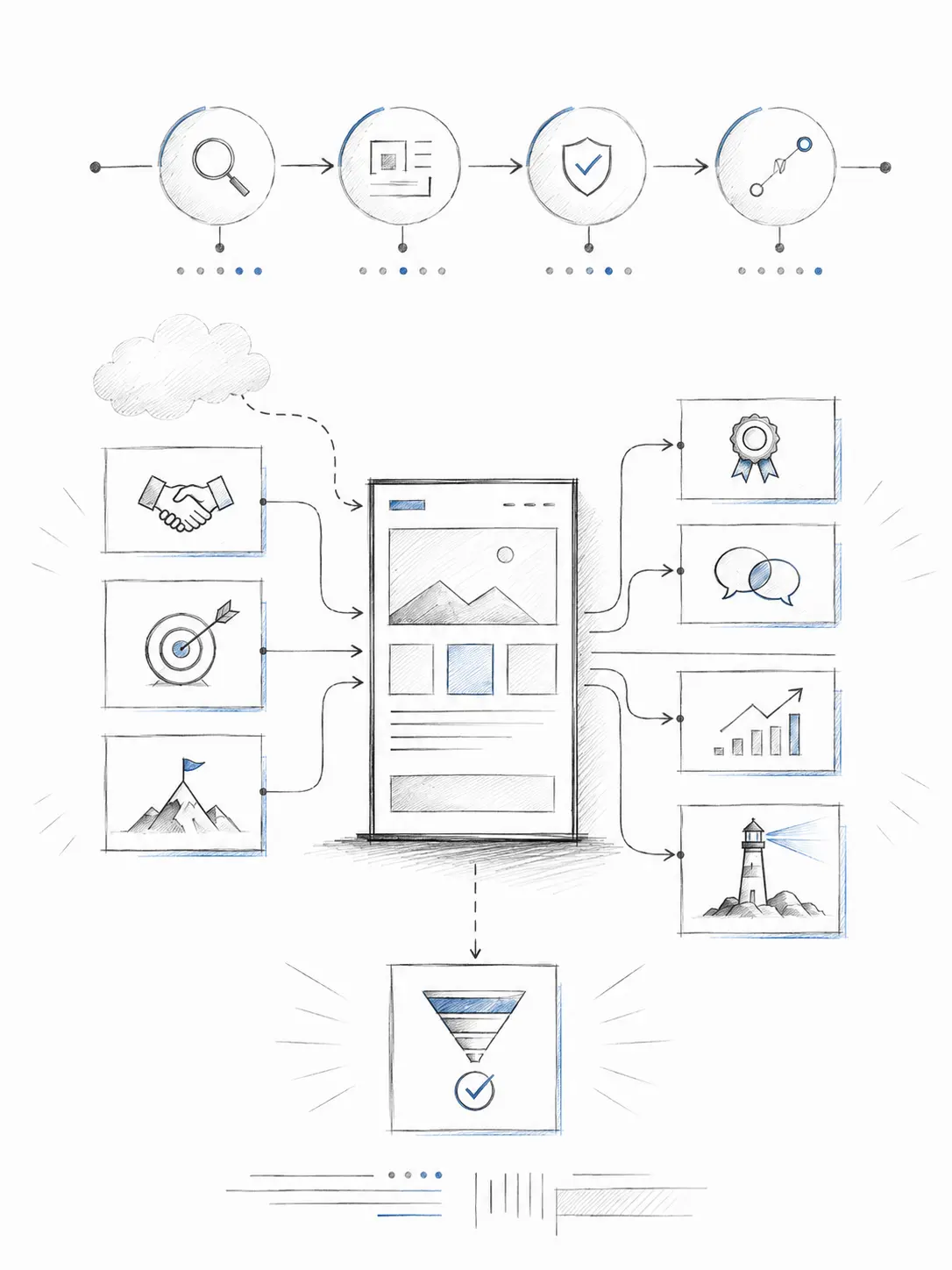
    The skills that actually matter for a business website in Malaysia go well beyond aesthetics:

    • Responsive, mobile-first design (over 60% of local traffic is mobile)
    • SEO-ready page structure from the first build decision
    • UX planning that guides visitors toward an enquiry not just a scroll
    • Basic HTML and CSS knowledge so design decisions don’t break in production
    • CMS experience so you can manage your own content after launch
    • Business understanding the ability to ask the right questions before designing

    The last point is the one most often missing.

    A designer who waits to be told exactly what to do will produce exactly what they are told not what the business actually needs.

    Before hiring, ask one question: “How do you approach a project before you open a design tool?”

    The answer tells you more than any portfolio.